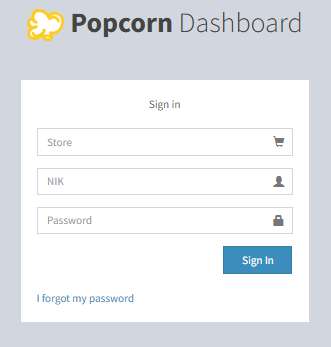
- Go to Popcorn Website (www.popcorncashier.com)
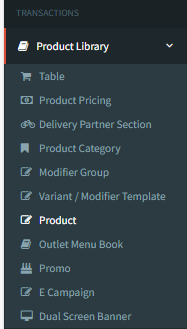
Transactions > Product Library > Product
- Product Item Tax Setting
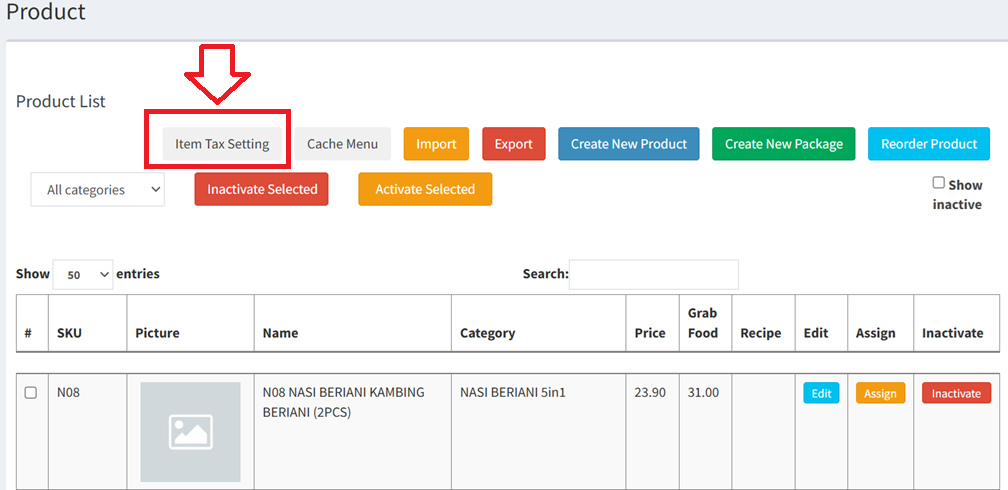
- Go to Product Library > Product
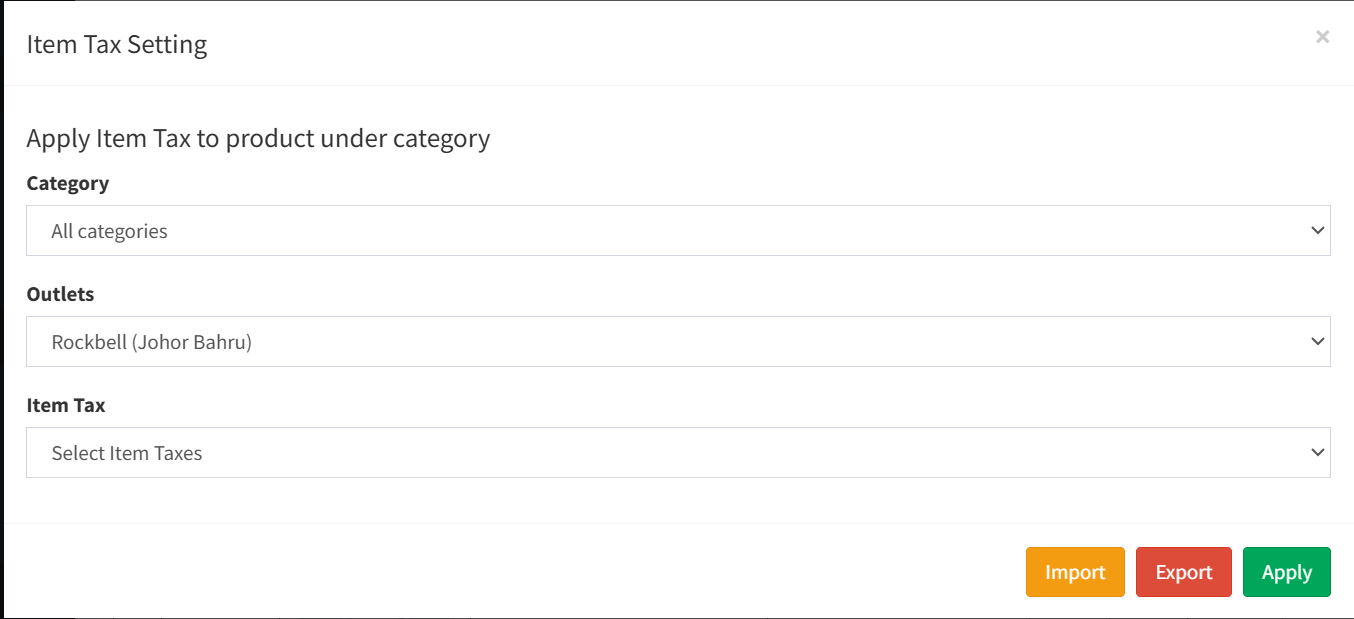
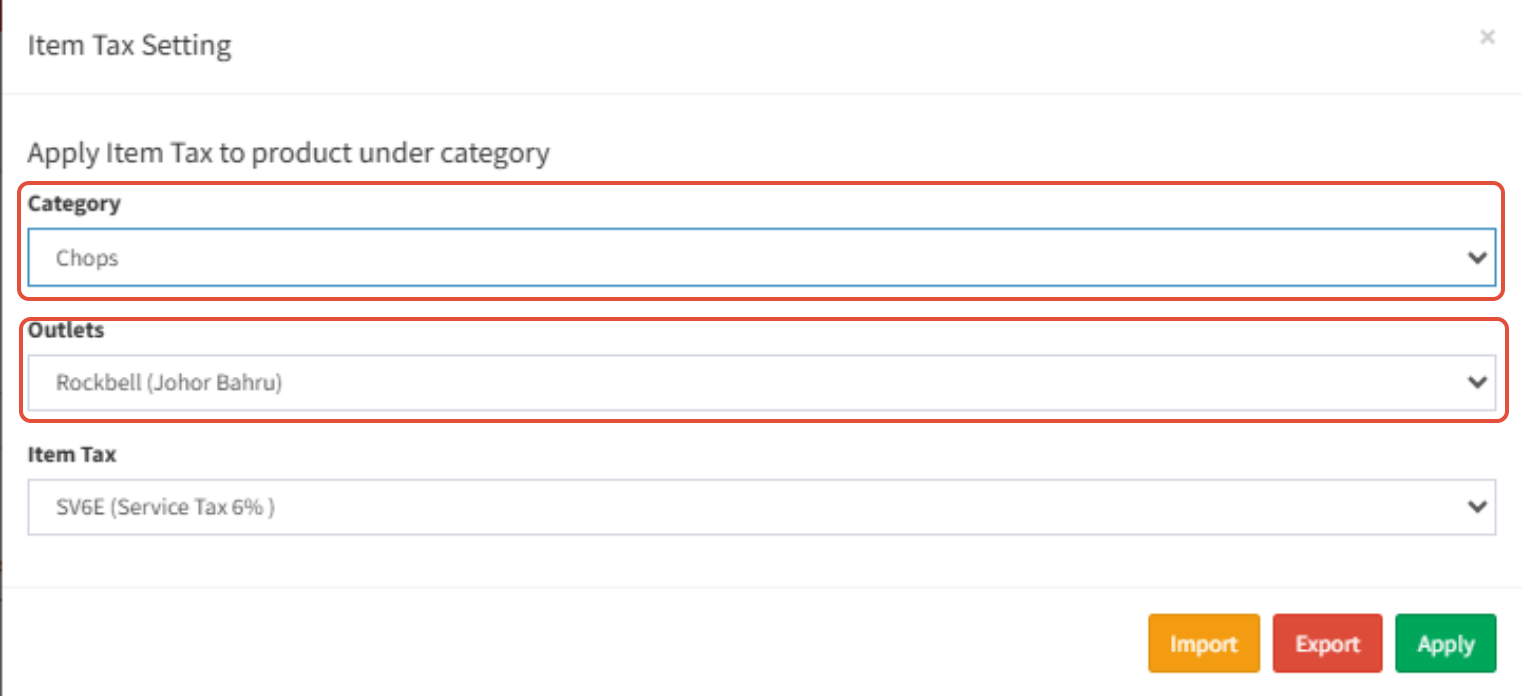
- Choose the Category & Outlets
Choose the Item Tax
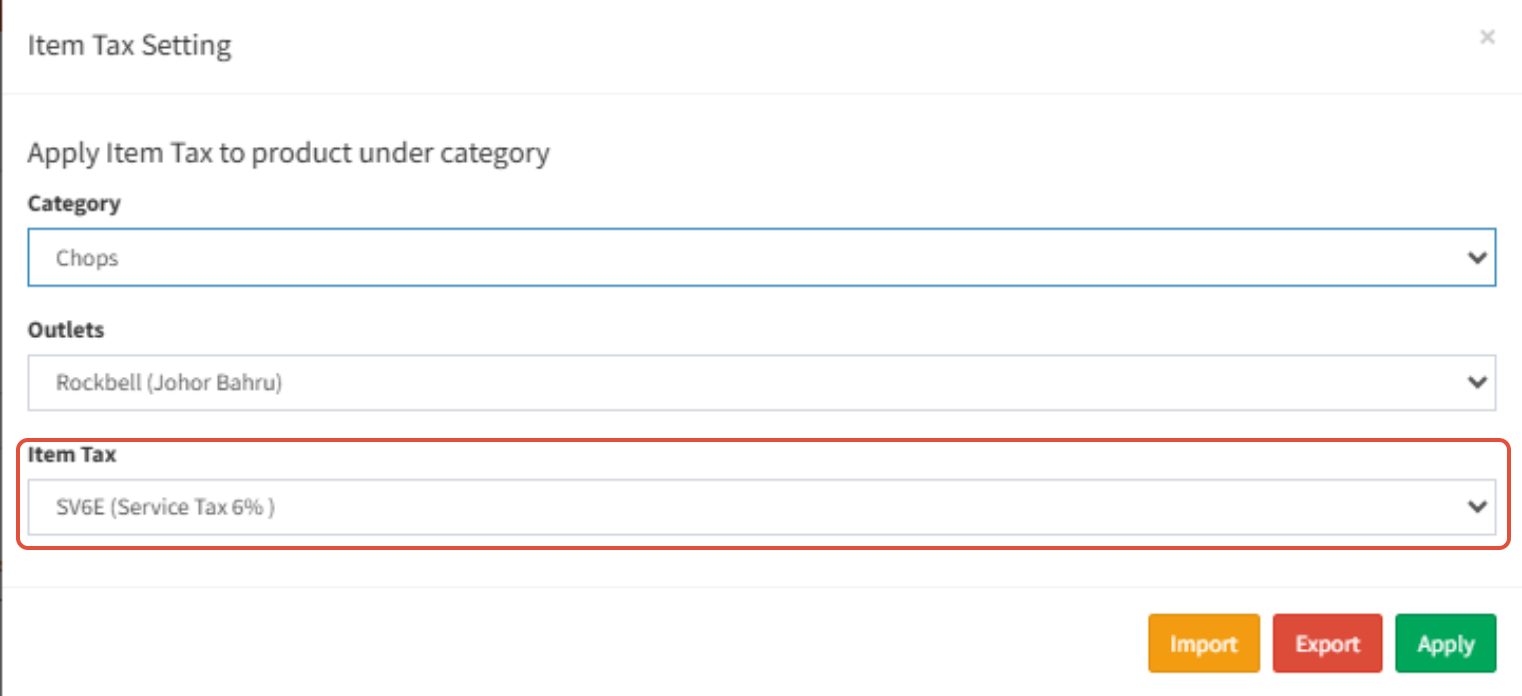
- The Service Tax for Food is 6%
- The Service Tax for Alcohol is 8%
- Lastly click the Apply to continue

Was this article helpful?
That’s Great!
Thank you for your feedback
Sorry! We couldn't be helpful
Thank you for your feedback
Feedback sent
We appreciate your effort and will try to fix the article