- Go to Popcorn Website (www.popcorncashier.com)

>Store & Outlet > Outlet List
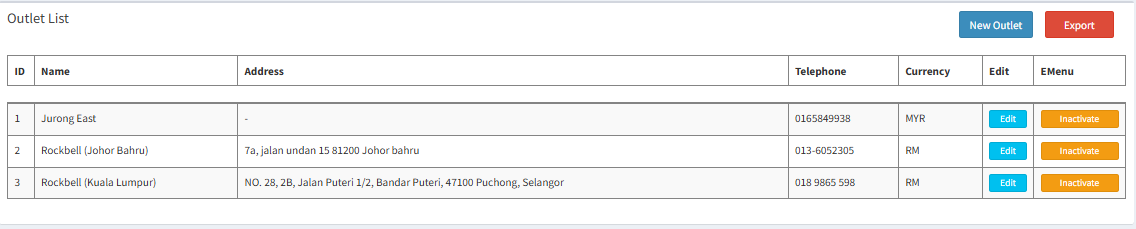
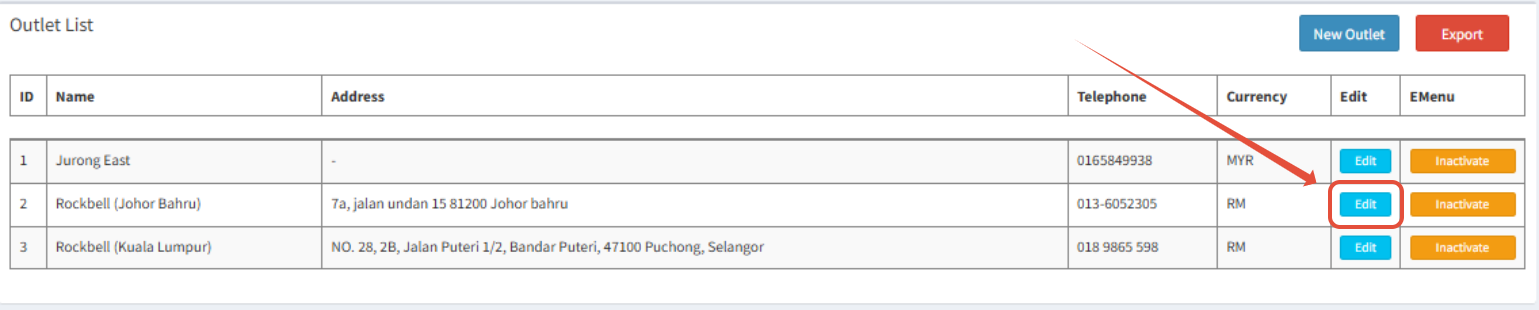
- Choose the Outlet you want to change and click Edit
- Scroll down and find Tax & Service Charge
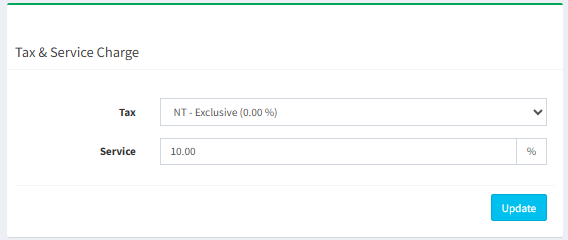
- Malaysia: SST is calculated before service charge.
- SST is calculated on the food price only (before service charge).
Example:
Food: RM100
Service Charge (10%): RM10
SST 6% on RM100: RM6
Total: RM100 + RM10 + RM6 = RM116
✅ SST is not charged on service charge.
- Singapore: GST is calculated after service charge (on the total amount including
service charge).
- GST is calculated on the total amount after adding service charge.
Example:
Food: SGD100
Service Charge (10%): SGD10
Subtotal: SGD110
GST 9% on SGD110: SGD9.90
Total: SGD100 + SGD10 + SGD9.90 = SGD119.90
✅ GST is charged on both food and service charge.
Was this article helpful?
That’s Great!
Thank you for your feedback
Sorry! We couldn't be helpful
Thank you for your feedback
Feedback sent
We appreciate your effort and will try to fix the article