*IF SST IS NO NEEDED, CAN SKIP CREATE
- Access to the link: https://www.popcorncashier.com
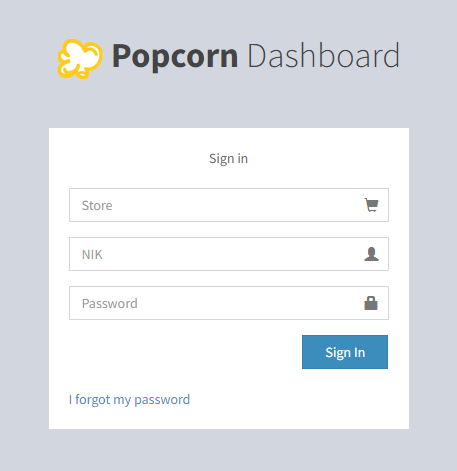
- To log in: Please fill in the Store Name, NIK (User ID) & Password
- After log in, it will shows out the Home Screen as below:
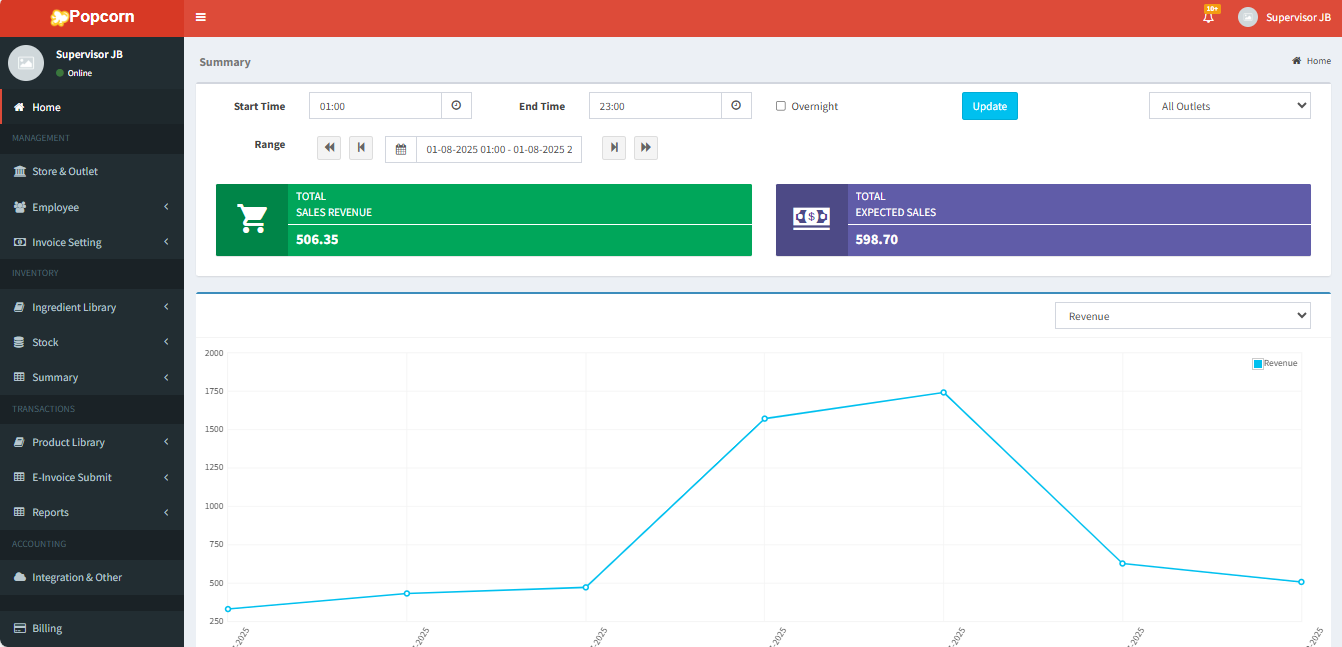
Store & Outlet
Go to Management > Invoice Setting > Tax & Service:
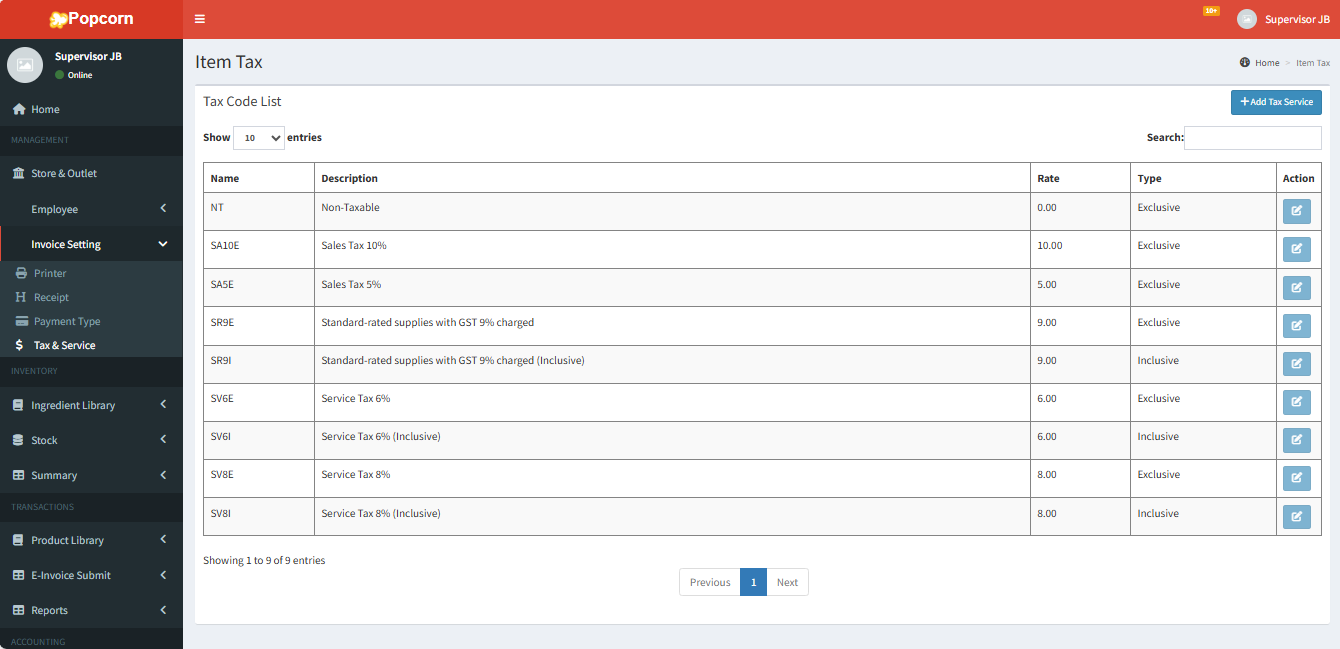
- Click Add Tax Service to create SST

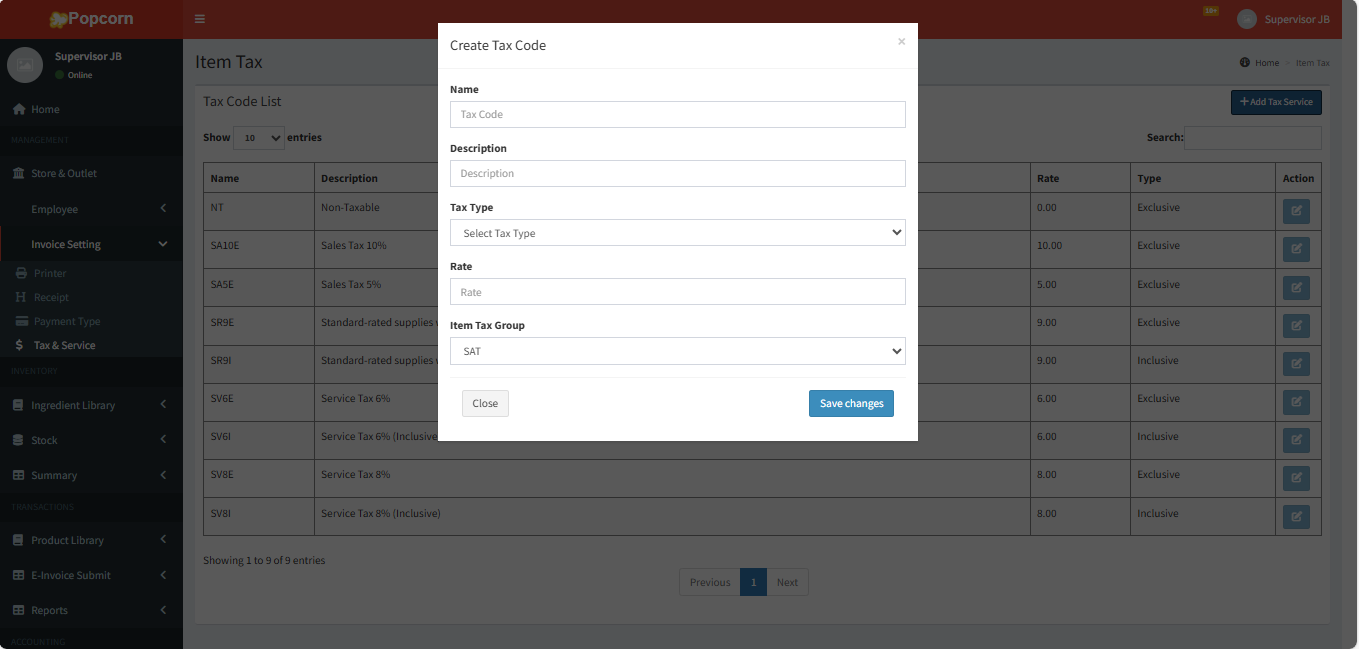
- Enter the data to create SST
- Name: SV6 (Example)
- Description: Service Tax 6%
- Tax Type: Exclusive/Inclusive
- Rate: 6/8 (Depend on your requirement)
- Item Tax Group: SAT (Fixed)
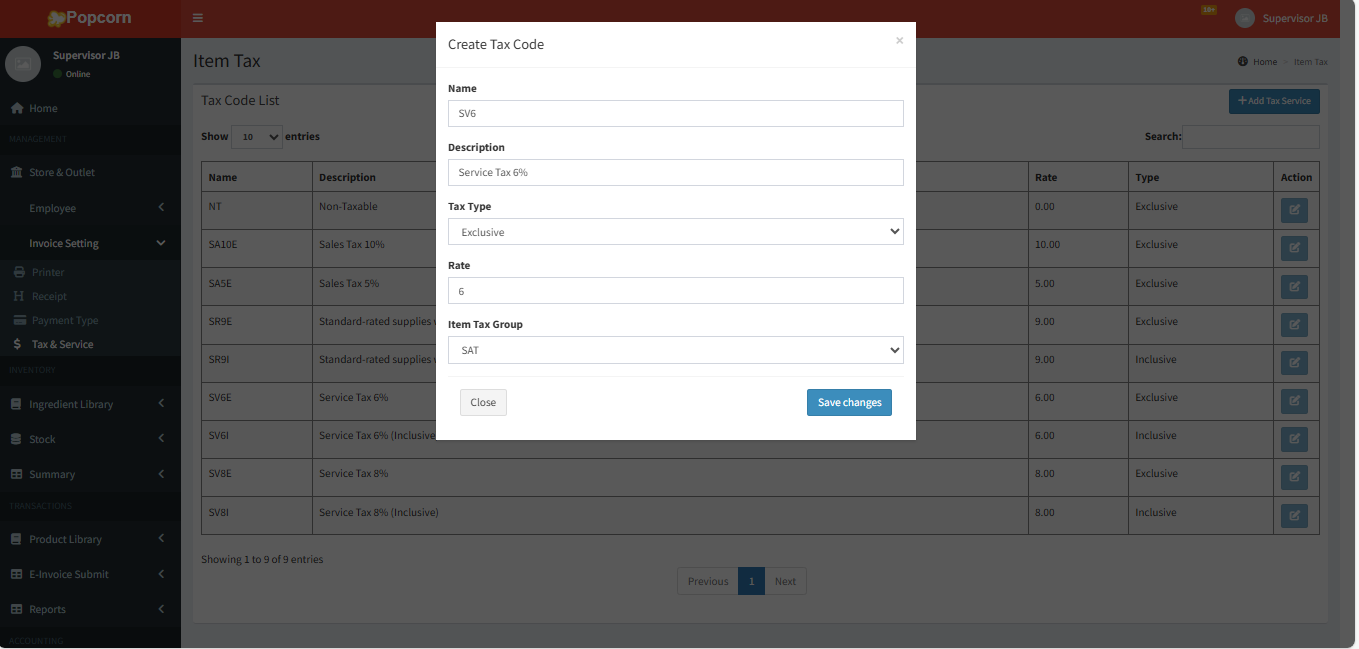
- After that click Save Changed to save the Tax

--------------------------------------------------------------------------------------------------------------------------------
Please refer to the video for more information:
Was this article helpful?
That’s Great!
Thank you for your feedback
Sorry! We couldn't be helpful
Thank you for your feedback
Feedback sent
We appreciate your effort and will try to fix the article