Step 1: Open Popcorn Cashier Lite
Launch the app on your device.
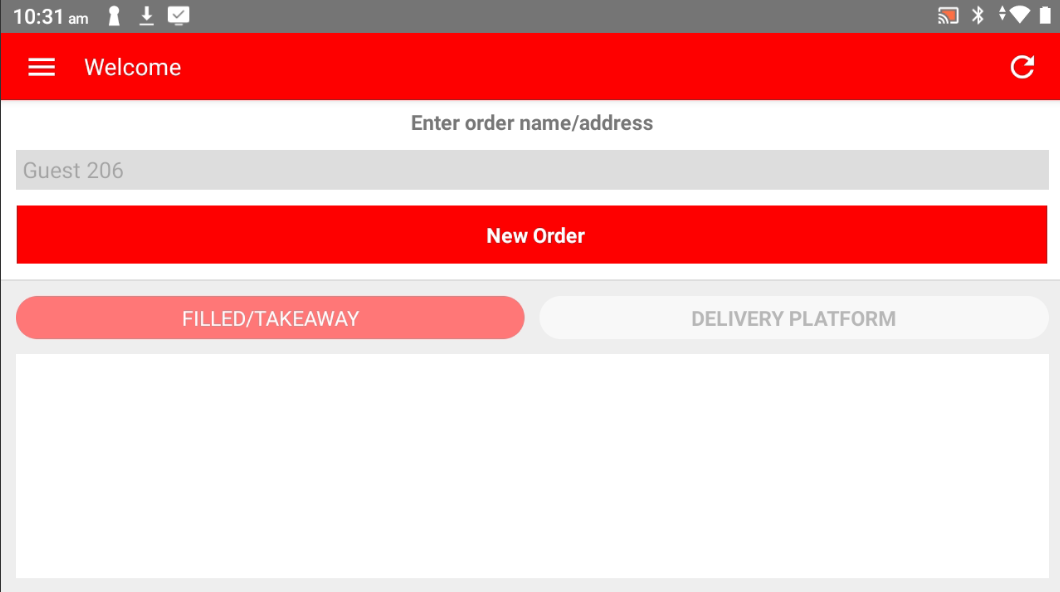
Step 2: Open the Sidebar
Tap the menu icon or swipe from the left to open the sidebar.
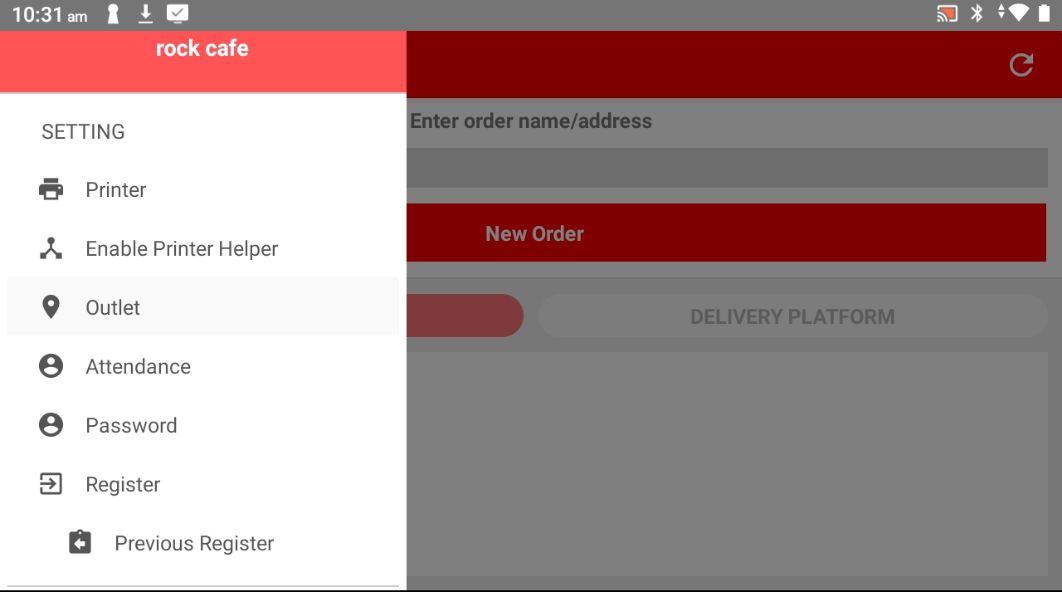
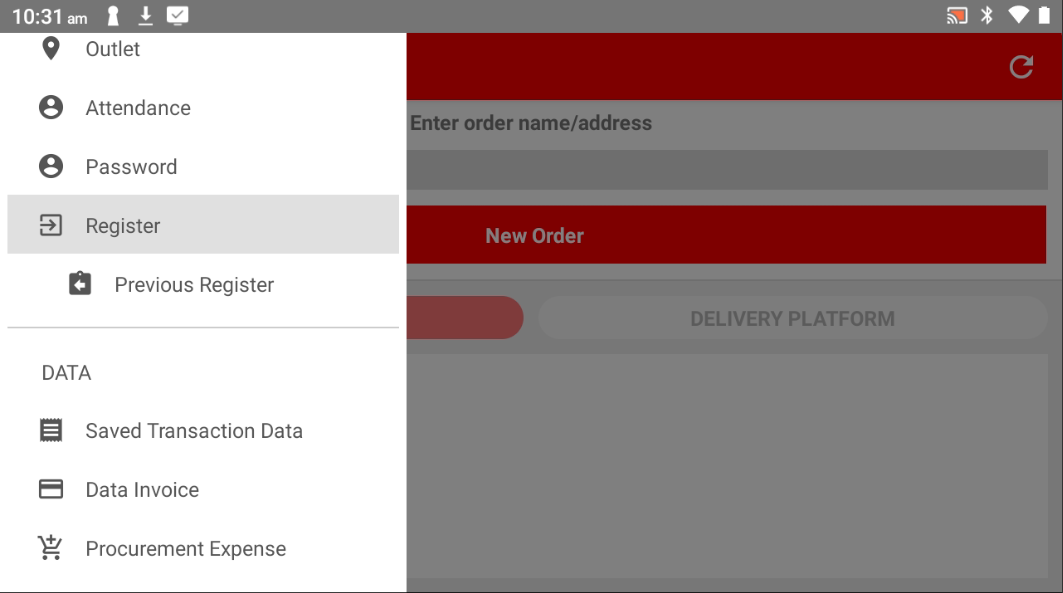
Step 3: Go to Register
In the sidebar menu, locate and tap on "Register".
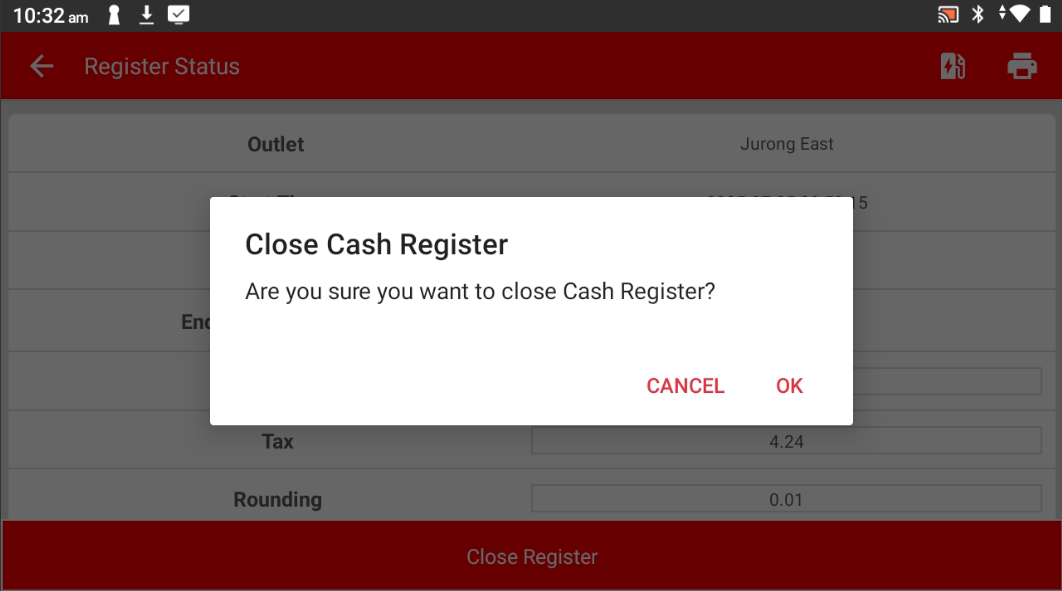
Step 4: Tap "Close Register"
Press the "Close Register" button to end the current shift.
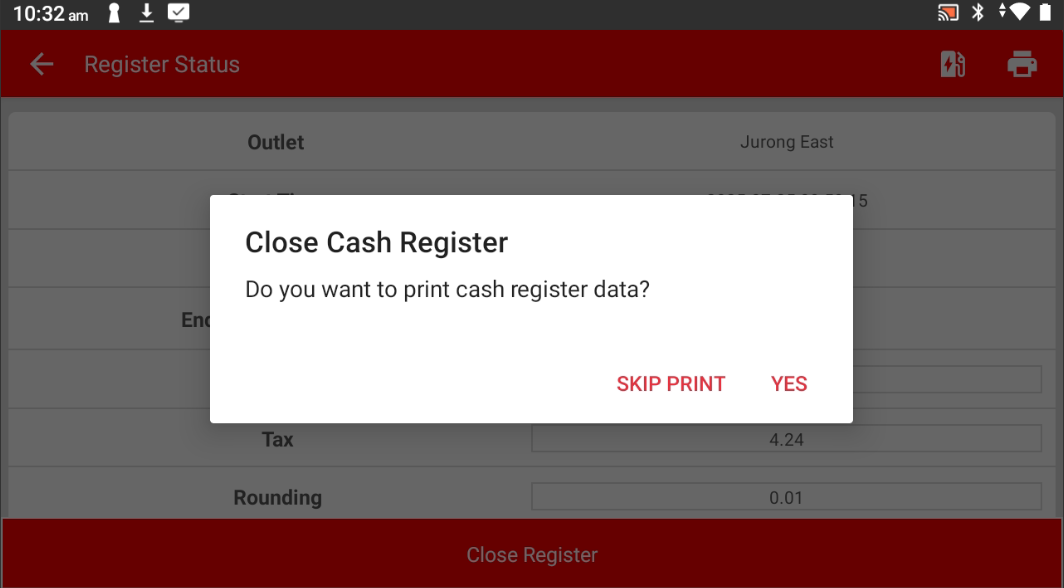
Step 5: Choose to Print or Not
Select whether you want to print the expense record.
Please refer to the link below:
https://www.youtube.com/watch?v=aB9ZbywdG4E&list=PLRi68gNUhBwSRvzJPPddmk0lhFImfwFax&index=2
------------------------------------------------------------------------------------------------------------------------------------------
Was this article helpful?
That’s Great!
Thank you for your feedback
Sorry! We couldn't be helpful
Thank you for your feedback
Feedback sent
We appreciate your effort and will try to fix the article