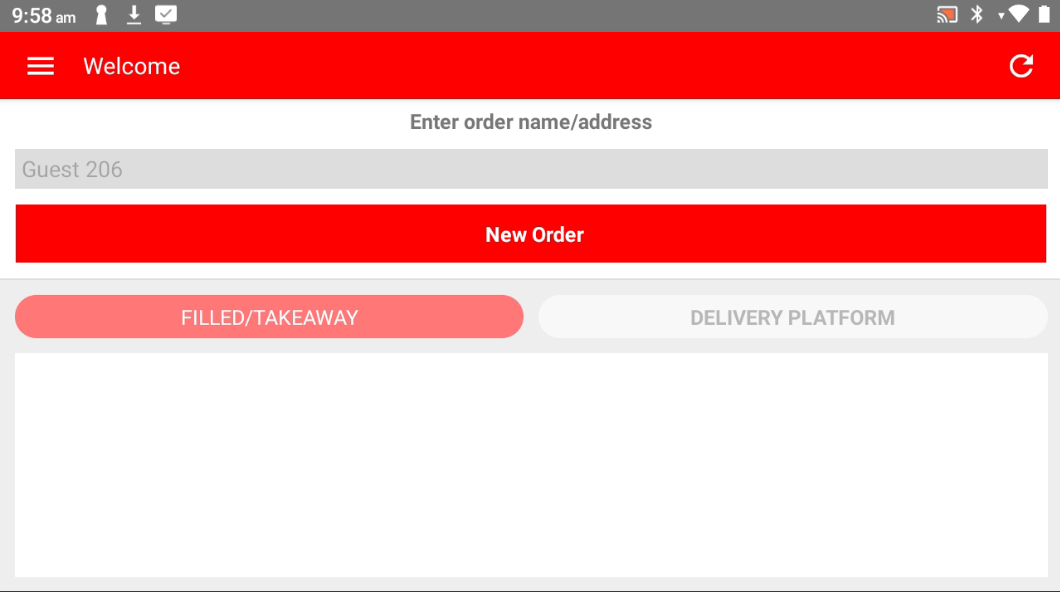
Step 1: Open Popcorn Cashier Lite
Launch the app on your device.
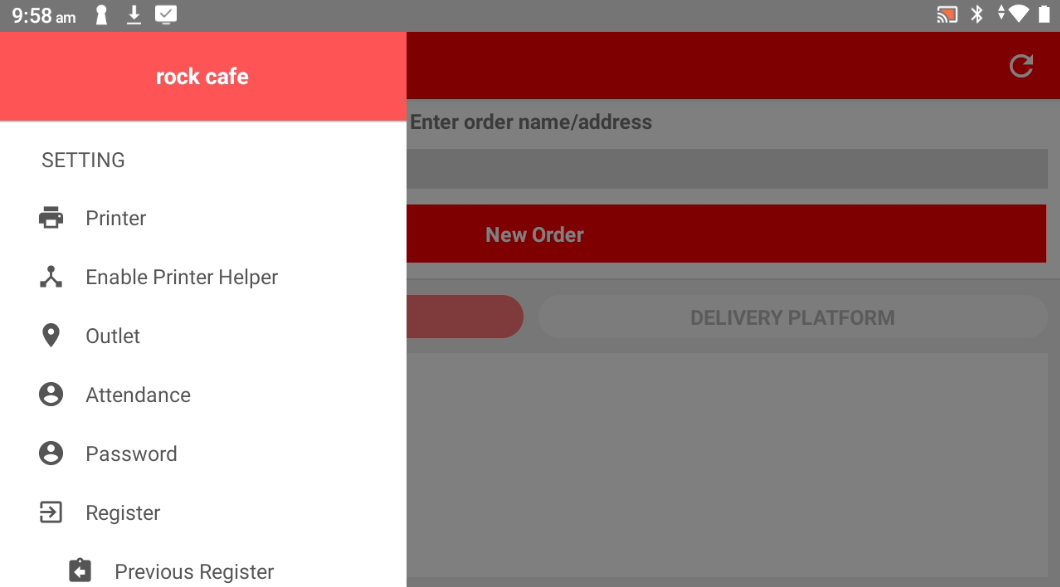
Step 2: Open the Sidebar
Tap the menu icon or swipe from the left to open the sidebar.
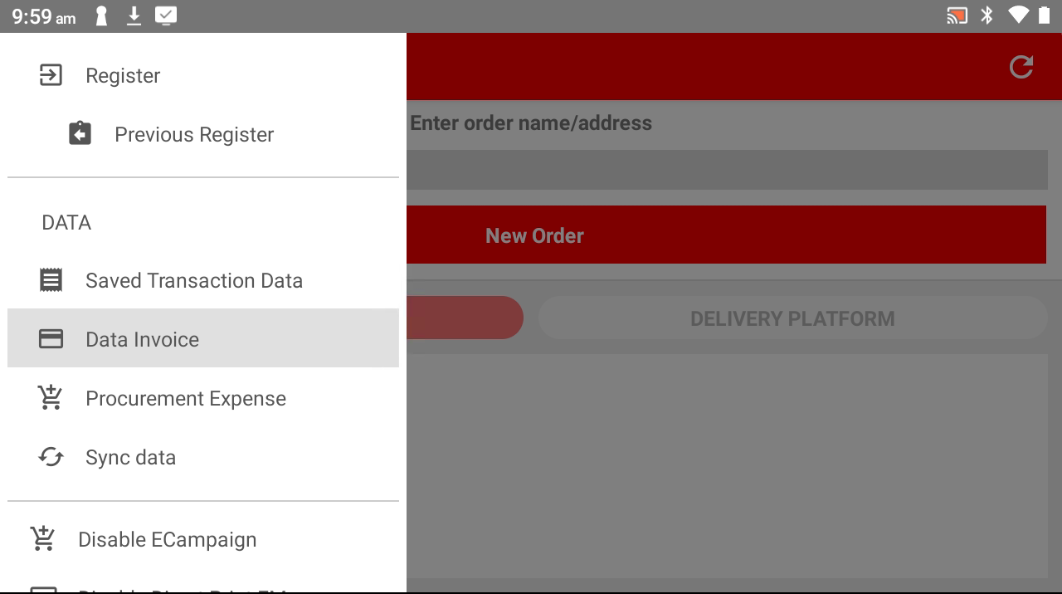
Step 3: Go to Data Invoice
In the Data section, select "Data Invoice" to view all past bills.
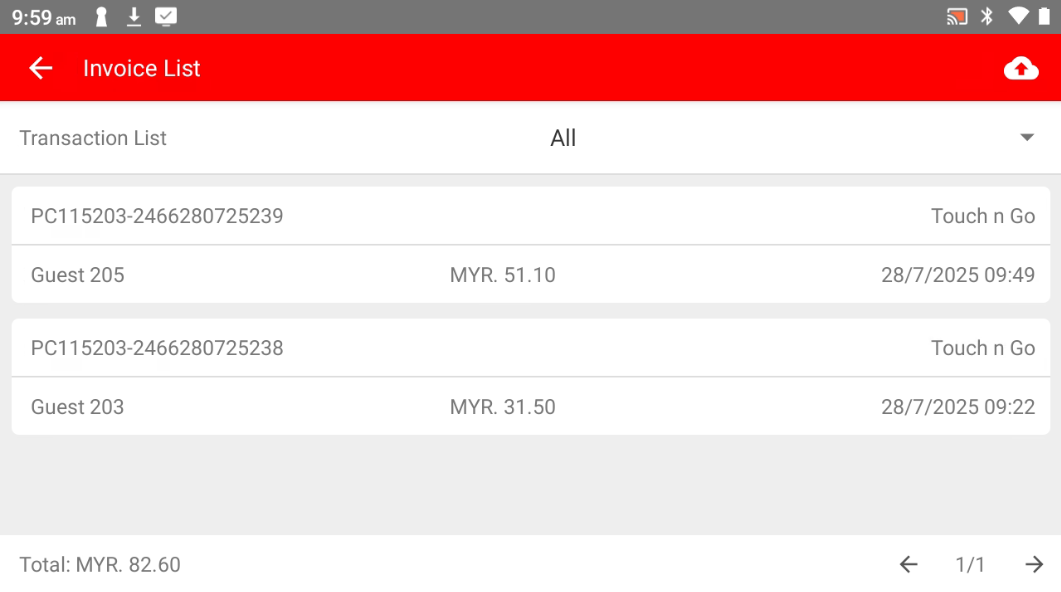
Step 4: Choose the Bill to Void
Scroll or search for the invoice you want to void, then select it.
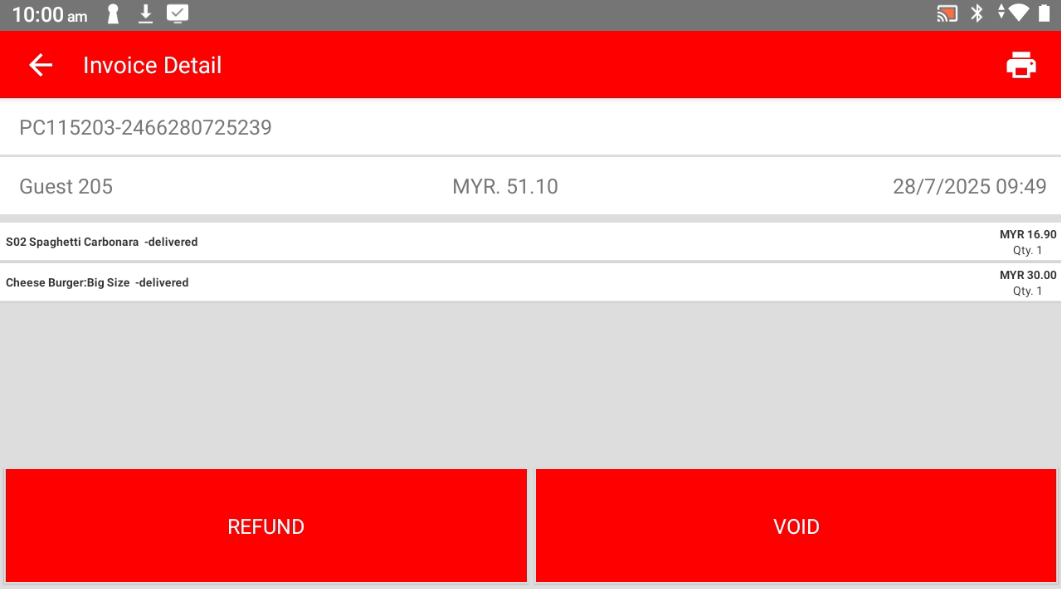
Step 5: Tap "VOID"
Click the VOID button to begin the voiding process.
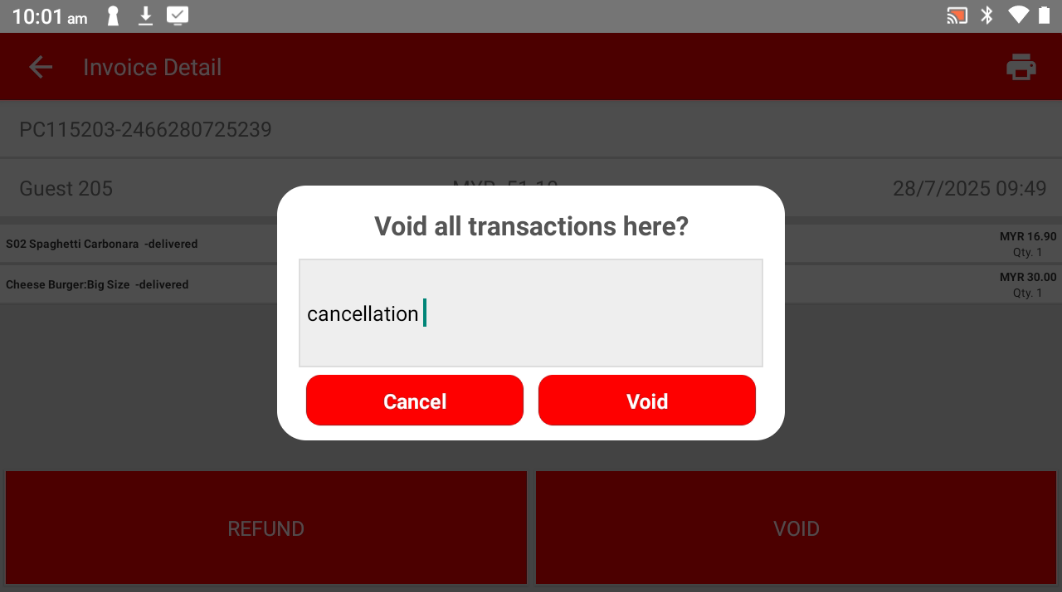
Step 6: Enter the Reason for Voiding
Type in the reason why you’re voiding this transaction.
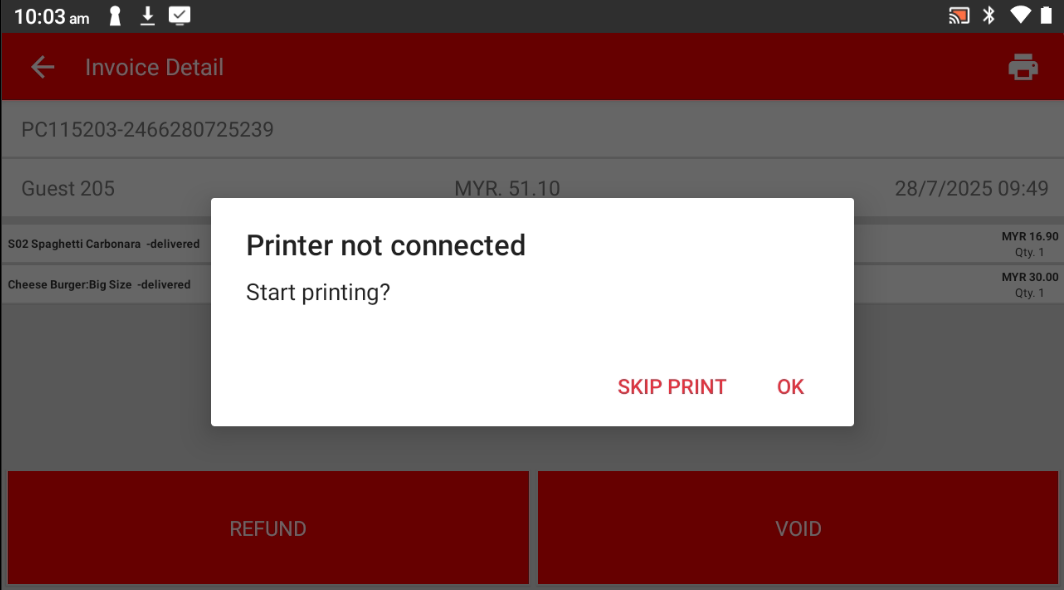
Step 7: Print Receipt (Optional)
Choose whether to print the receipt or skip it
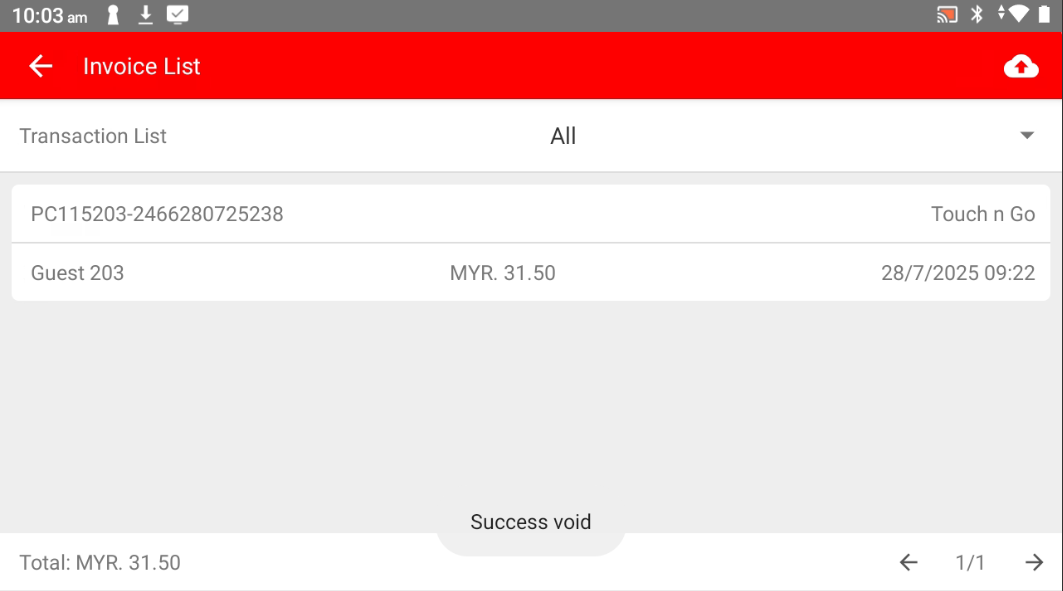
Step 8: Done!
The bill has been successfully voided.
Please refer to the link below:
https://www.youtube.com/watch?v=MvLej5DvJN8&list=PLRi68gNUhBwSRvzJPPddmk0lhFImfwFax&index=5
------------------------------------------------------------------------------------------------------------------------------------------
Was this article helpful?
That’s Great!
Thank you for your feedback
Sorry! We couldn't be helpful
Thank you for your feedback
Feedback sent
We appreciate your effort and will try to fix the article