Step 1: Open Popcorn Cashier Lite
Launch the Popcorn Cashier Lite app on your device.
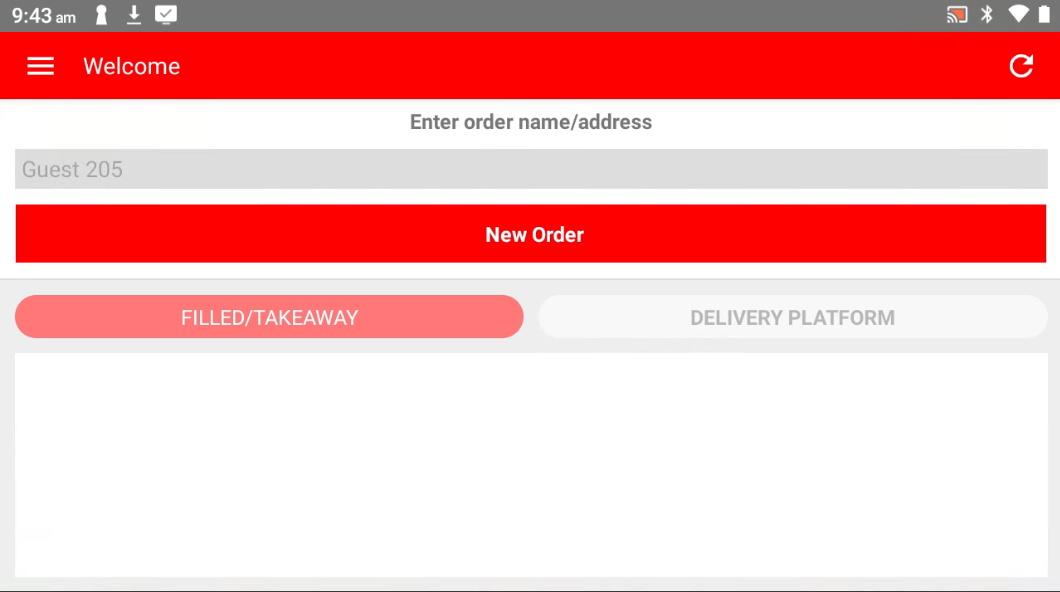
Step 2: Tap "New Order"
On the main screen, tap the "New Order" button to go the main menu.
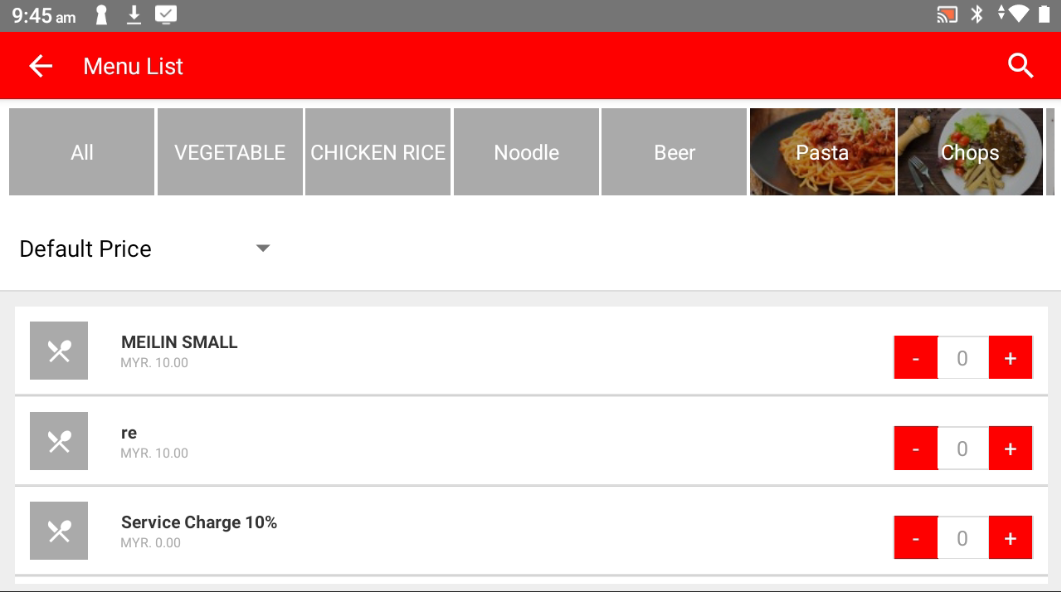
Step 3: Choose the Product
Browse or search your product list and tap on the item(s) the customer wants to purchase.
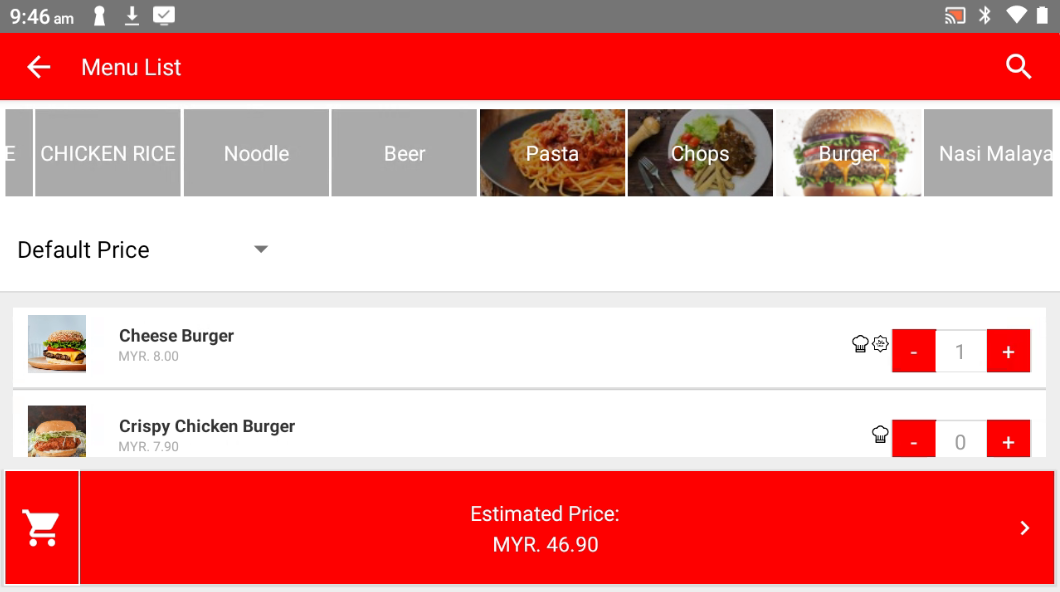
Step 4: Confirm the Order
Tap "Estimate Price" to review and confirm the selected items and total price.
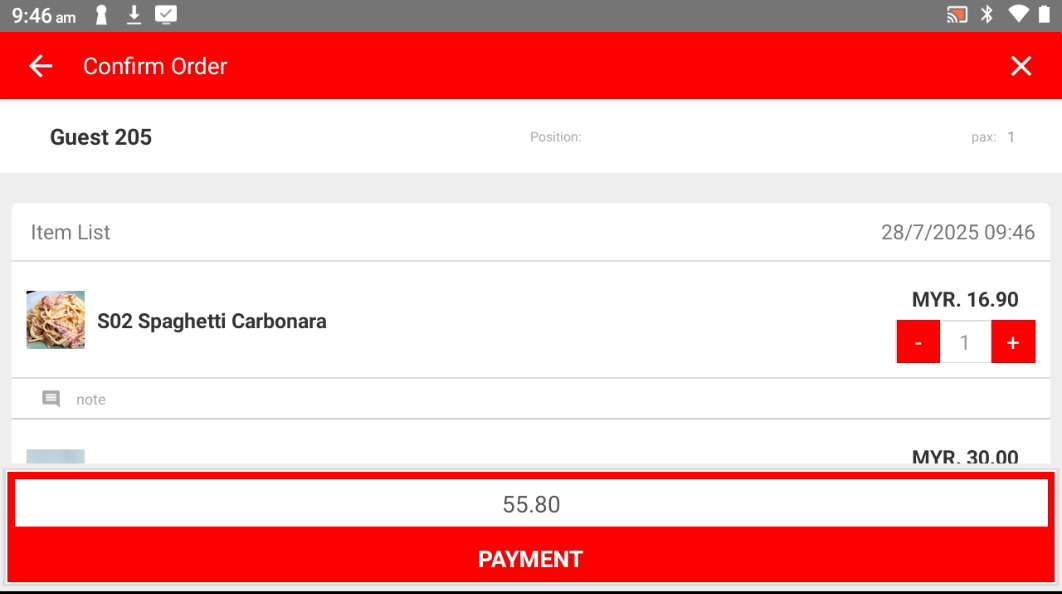
Step 5: Proceed to Payment
Tap the "PAYMENT" button to continue to the payment screen.
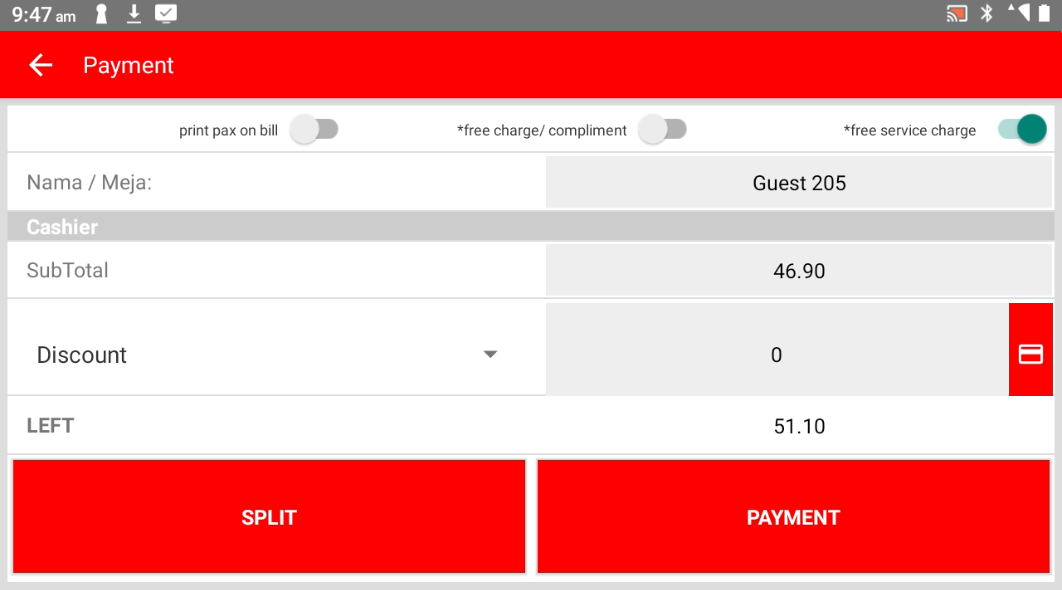
Step 6: Select Payment Method
Choose the customer's preferred payment method (e.g., cash, card, e-wallet).
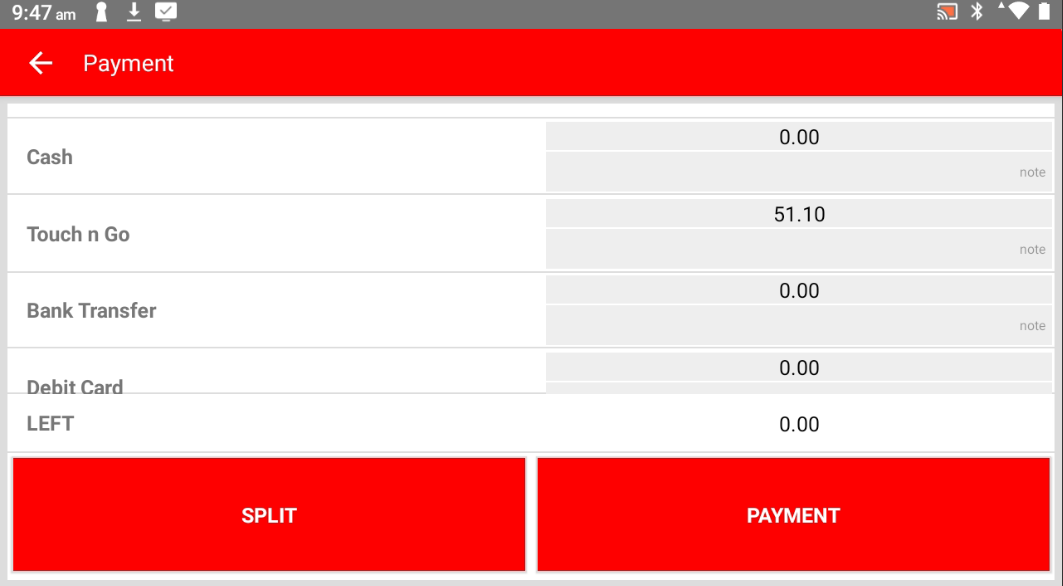
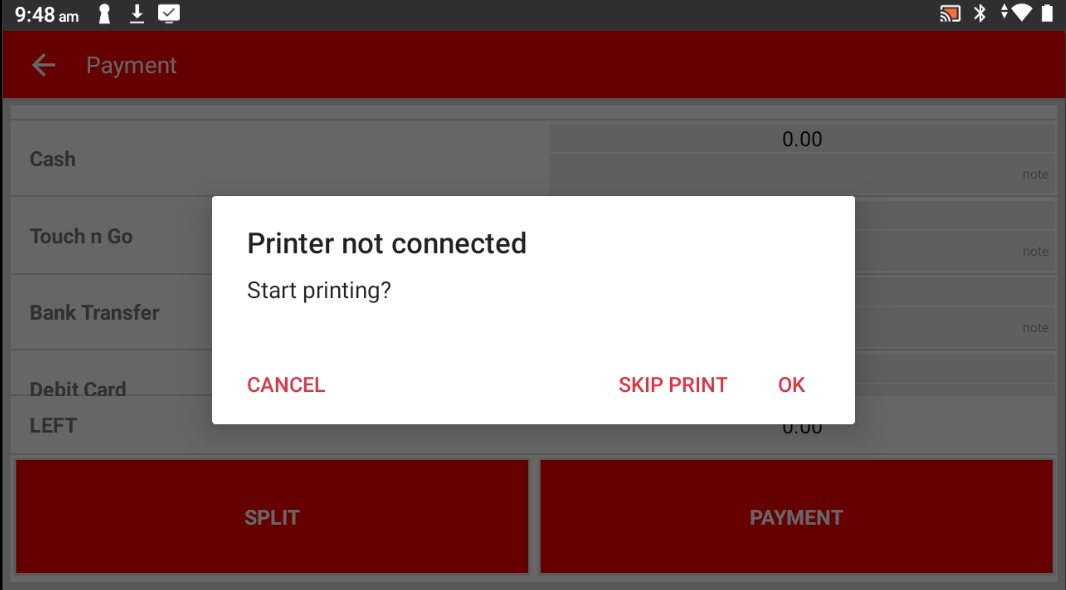
Step 7: Print Receipt (Optional)
Choose whether to print the receipt or skip it, based on the customer’s preference.
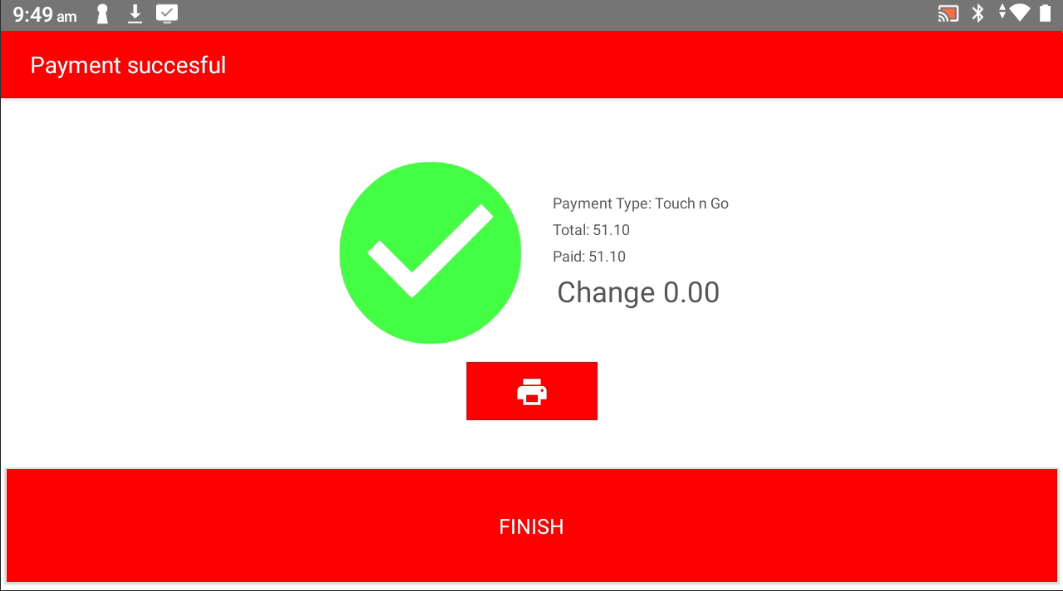
Step 8: Done! ?
The order is now complete and recorded.
Please refer to the link below:
------------------------------------------------------------------------------------------------------------------------------------------
Was this article helpful?
That’s Great!
Thank you for your feedback
Sorry! We couldn't be helpful
Thank you for your feedback
Feedback sent
We appreciate your effort and will try to fix the article