Go to Transaction > Product Library > Outlet Menu Book:
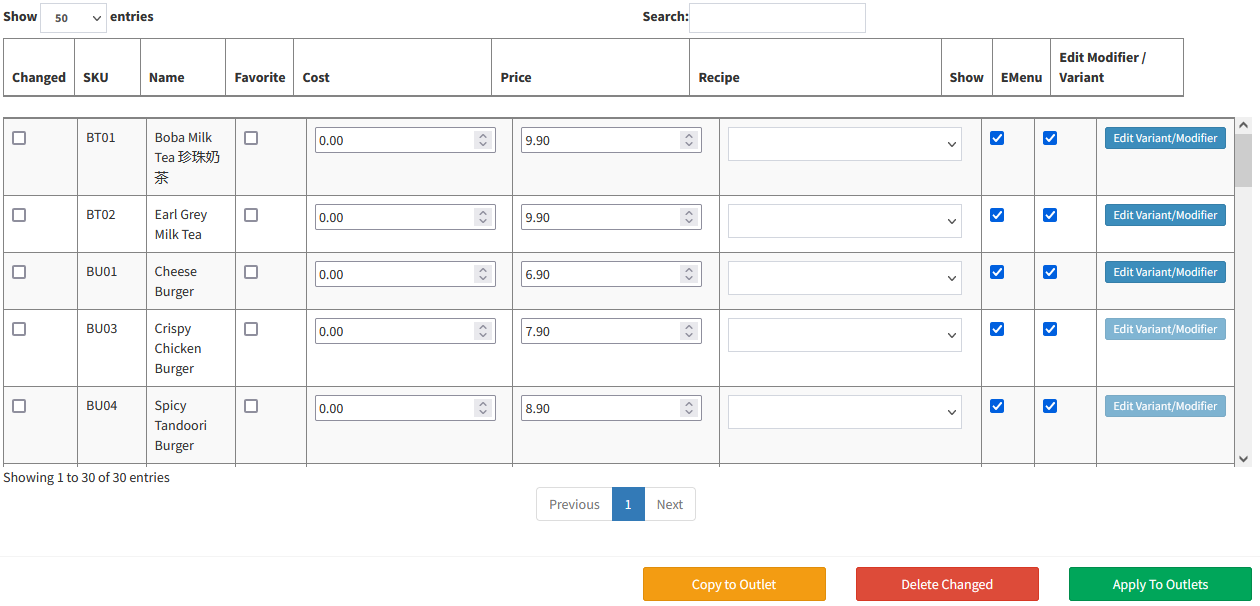
- Outlet Menu Book: If you have more than one outlets, and with different menu or different price, you can set the price or menu through Outlet Menu Book.
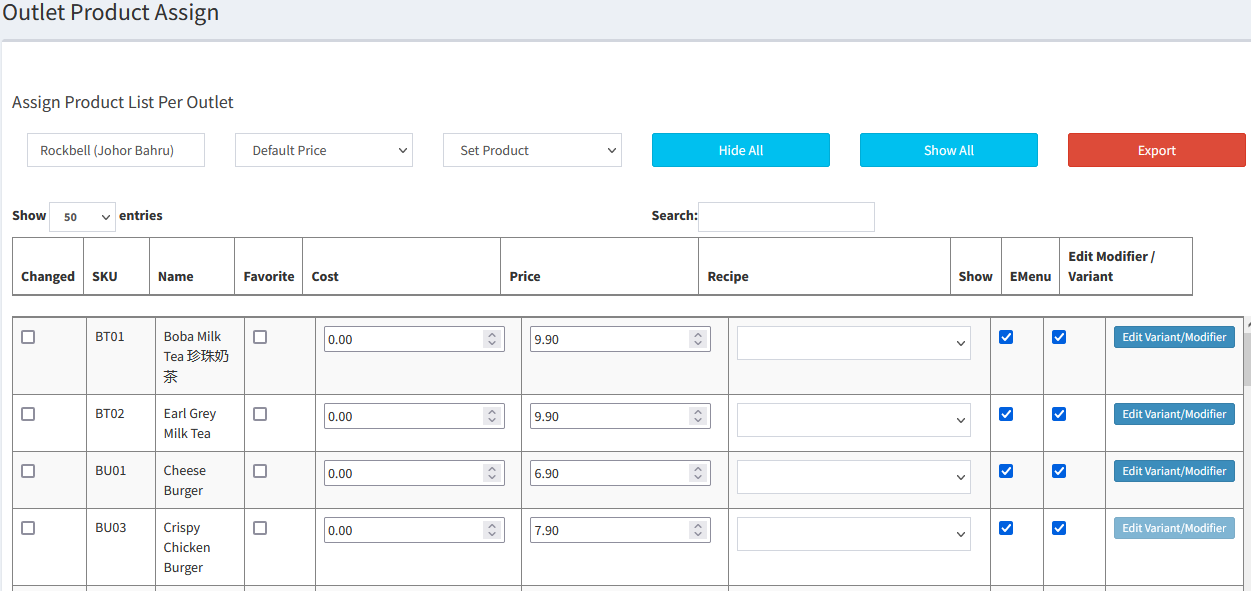
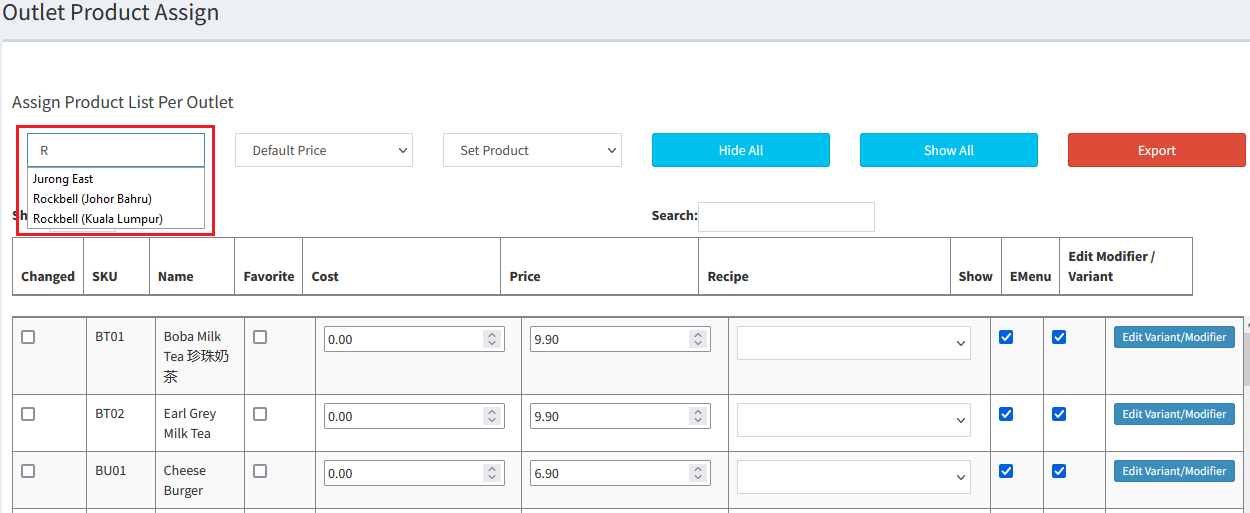
- Select Outlet (Key in the keyword in the column)
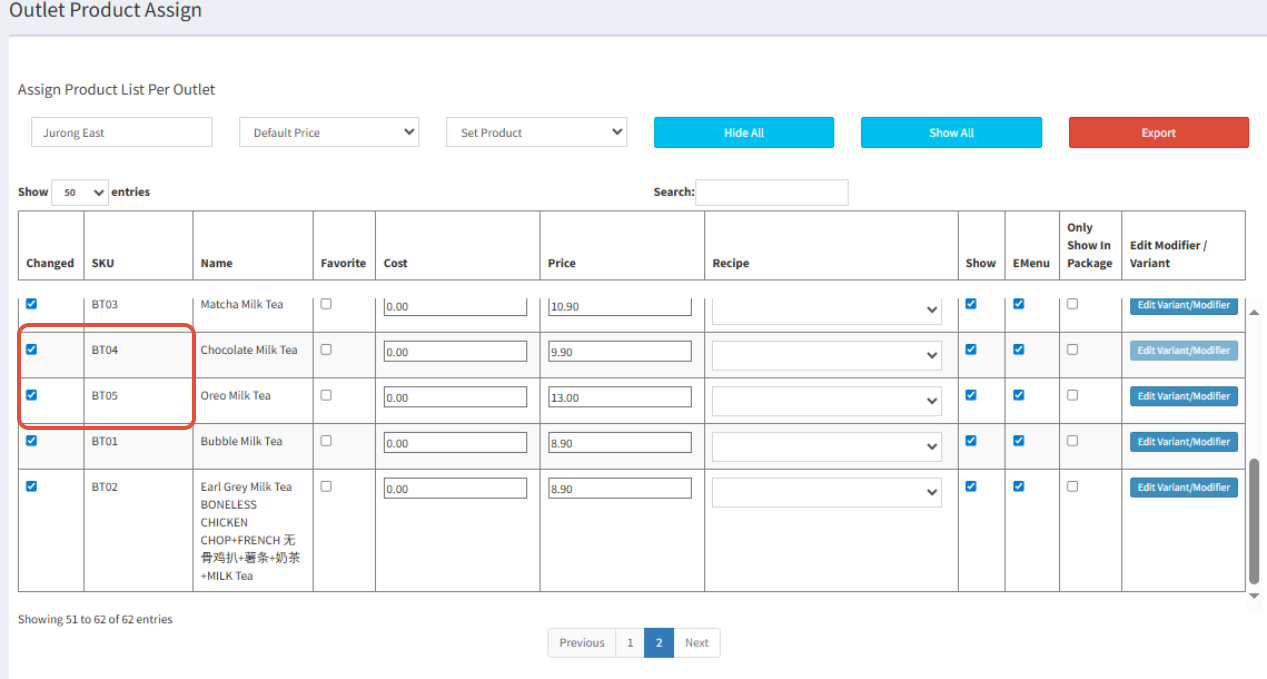
- Find the item you want to disable
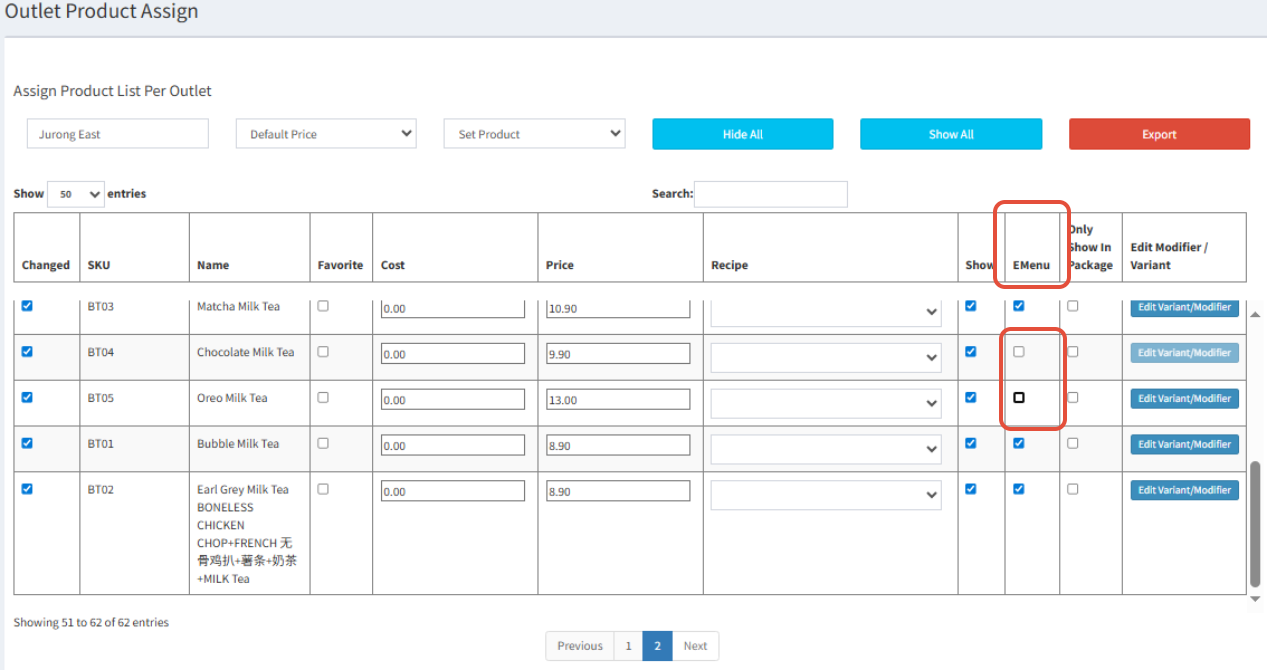
- See the E Menu column and untick the item
- Save changes:
- All the menu and selling price able to copy from one outlet to another by selecting

- Select
 to delete changes that have been made
 - Select
 to apply the changes to certain outlet
Was this article helpful?
That’s Great!
Thank you for your feedback
Sorry! We couldn't be helpful
Thank you for your feedback
Feedback sent
We appreciate your effort and will try to fix the article