1. In your dashboard home page, scroll down to Transactions row and press Report.
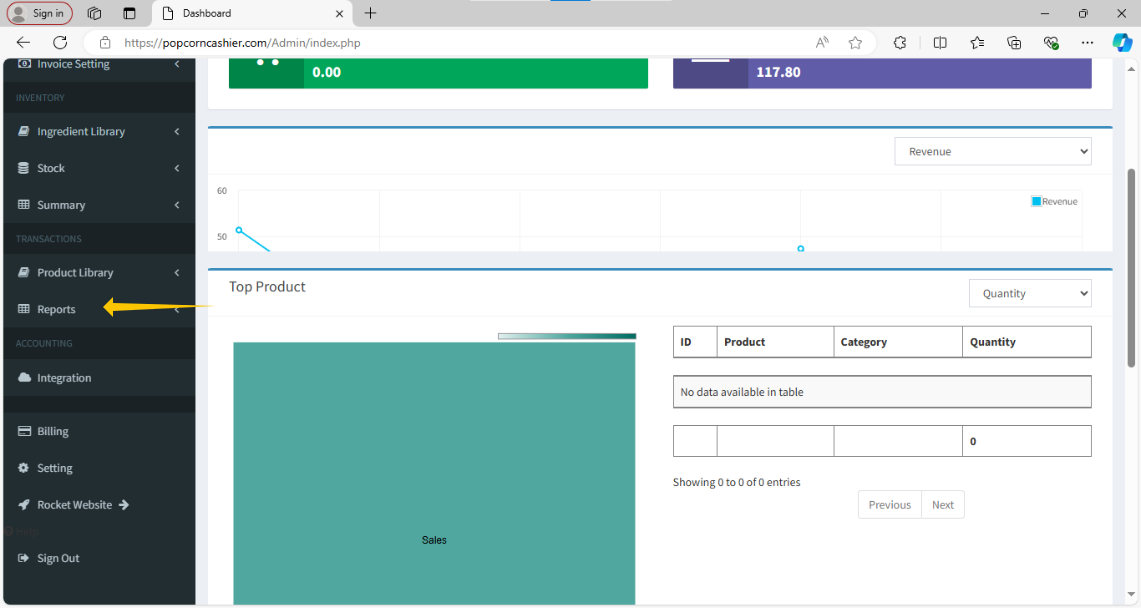
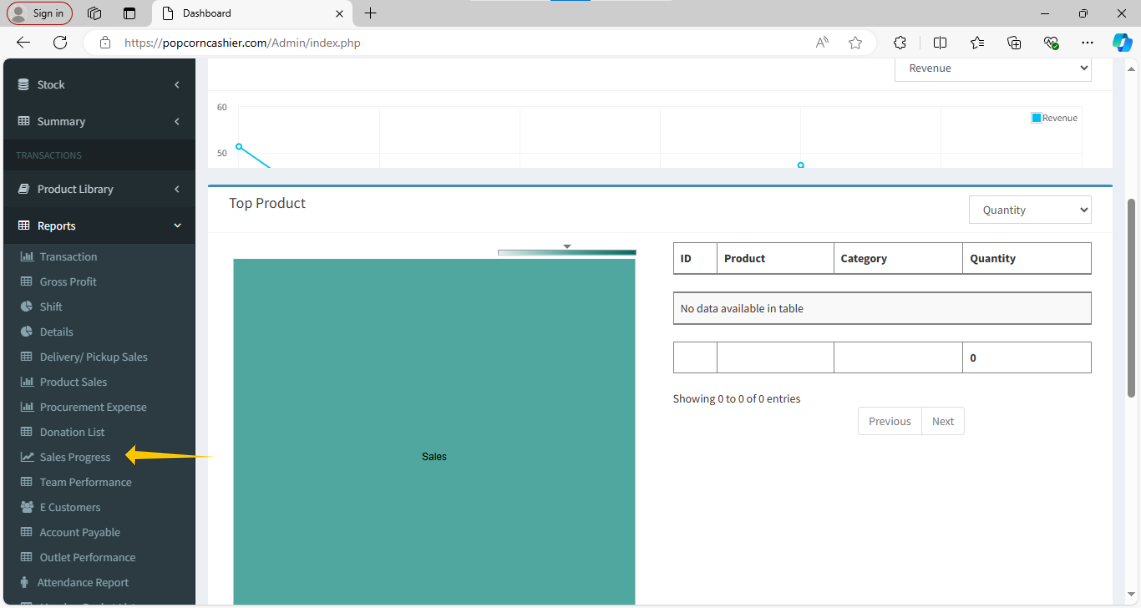
2. Then, click on Sales Progress.
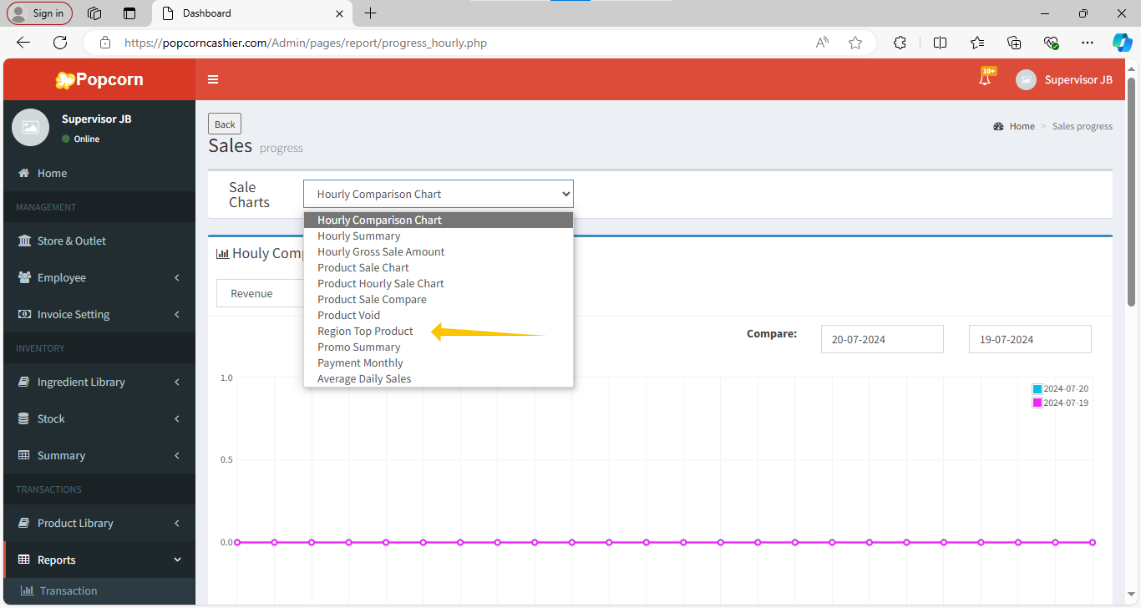
3. Next, click on the topmost option and select Region Top Product.
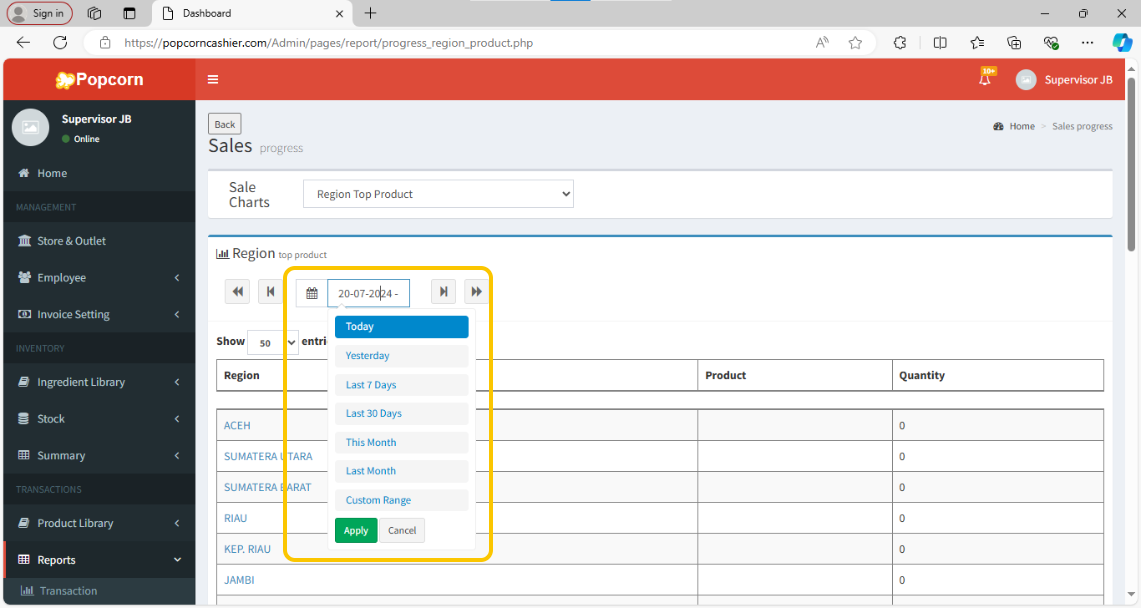
4. Click on the date option to choose the date for view the report.
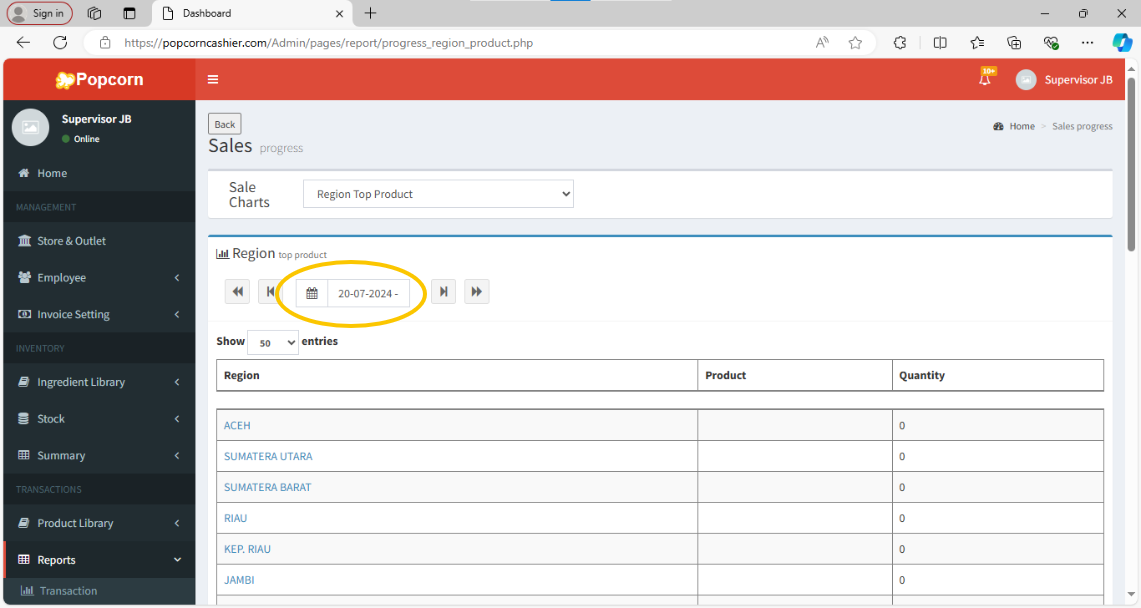
5. You can choose any date to review or by week, and month.
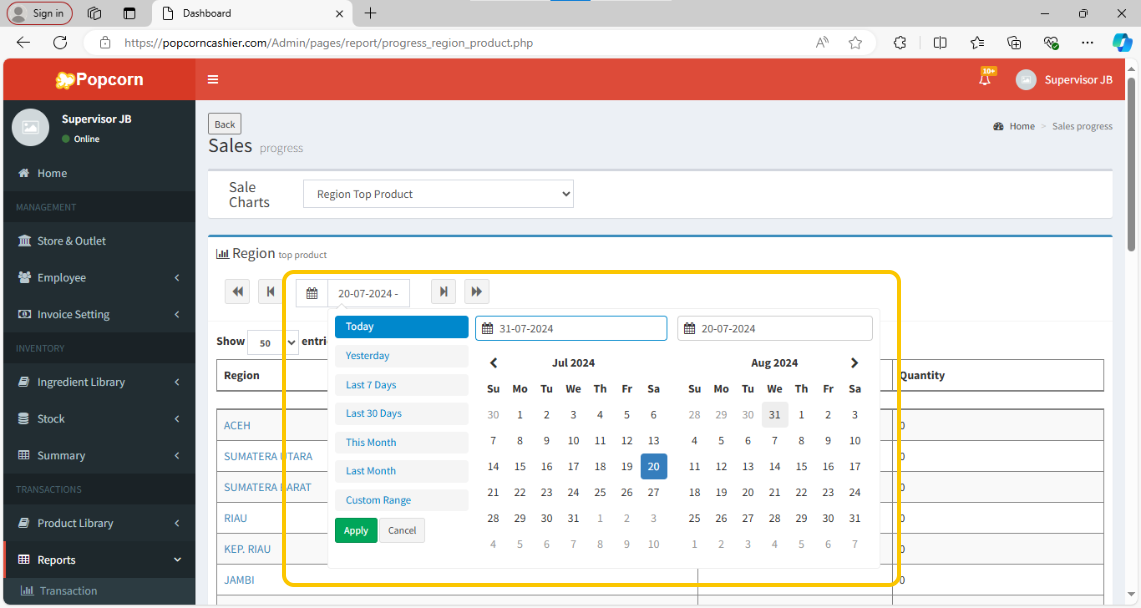
6. You can also select a custom range for date adjustment.
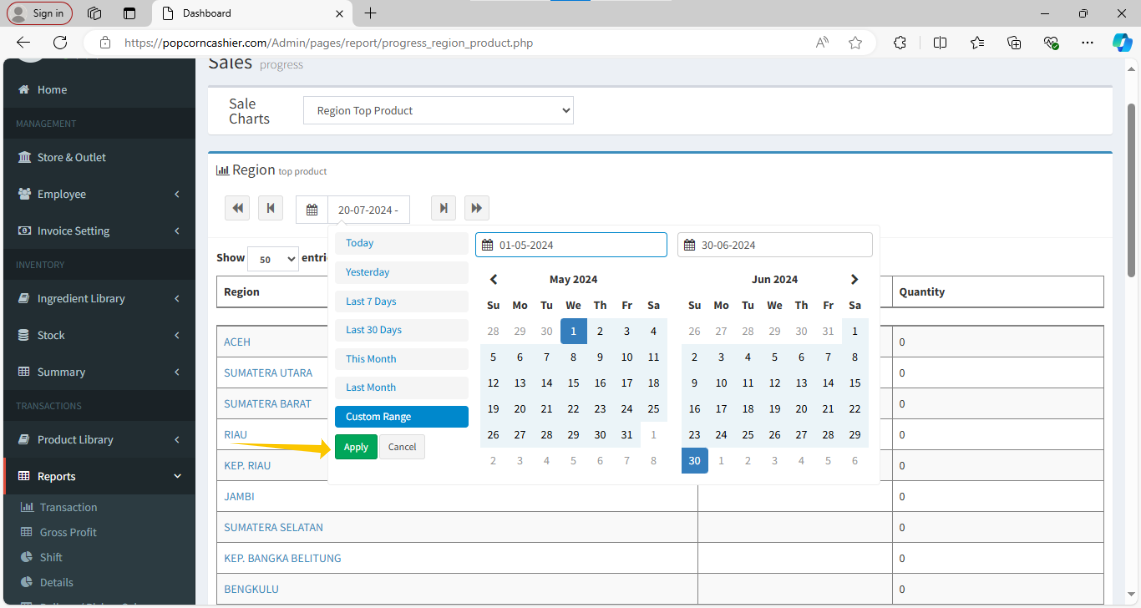
7. Pressing "Apply" to adjust to the selected date range.
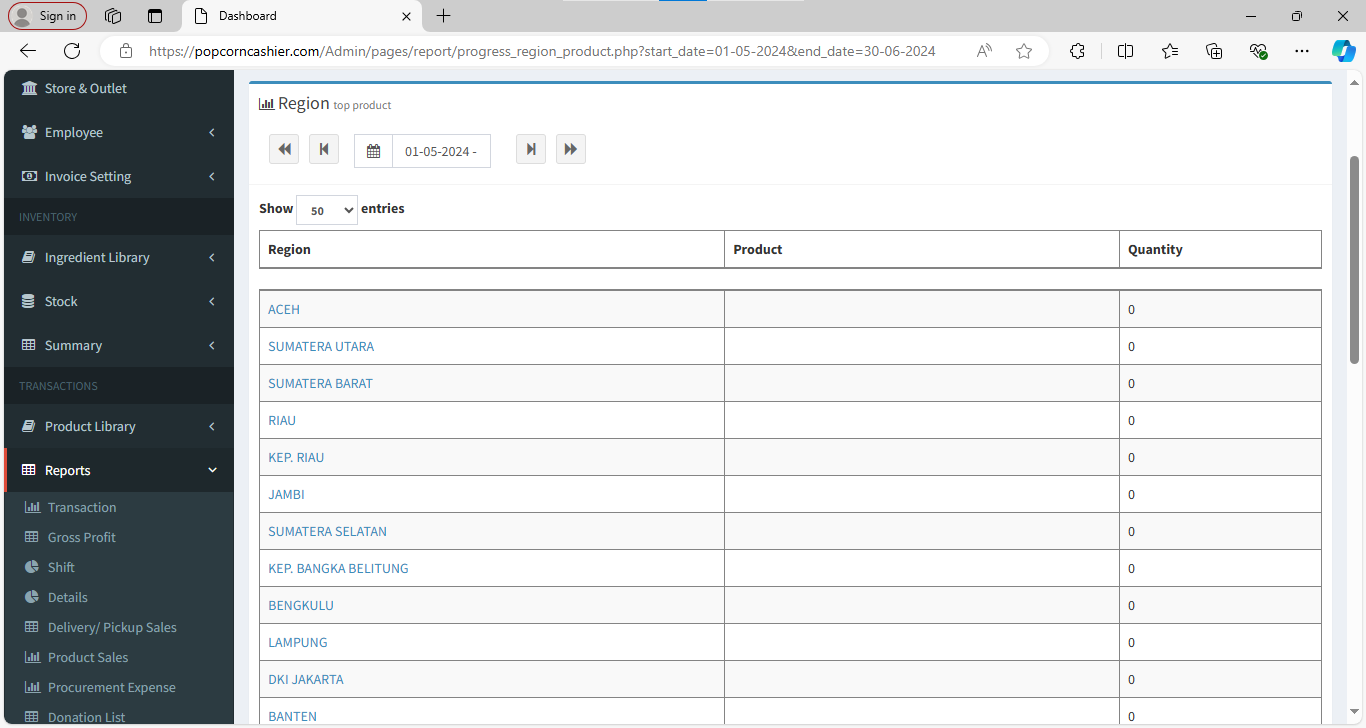
8. And the report will be generated down below.
---------------------------------------------------------------------------------------------------------------------------------------
Was this article helpful?
That’s Great!
Thank you for your feedback
Sorry! We couldn't be helpful
Thank you for your feedback
Feedback sent
We appreciate your effort and will try to fix the article